
 ENGLISH

What Is an IP PBX and How Does It Work?
An IP PBX is the brain of a modern business phone system. It decides which phone rings, what callers hear and which line an outgoing call uses, and it does all of this in software over your data network. This guide explains what's inside an IP PBX, follows a call step by step and shows how it connects to the outside world, so you can talk to vendors and installers on equal terms.
What an IP PBX is
A PBX (private branch exchange) is a private telephone switch for an organization. It gives every person an extension, connects internal calls for free and shares a pool of outside lines between everyone. For decades that meant a cabinet in a comms room, line cards, proprietary handsets and a copper pair to every desk.
An IP PBX does the same job in software and carries calls as data over an IP network. Phones are network devices or apps, outside lines are usually SIP trunks delivered over the internet, and adding a user takes a few minutes in a web console instead of a visit from an engineer.
| Traditional PBX | IP PBX | |
|---|---|---|
| Phones | Proprietary digital or analog handsets from the PBX maker | Standard SIP desk phones, softphone apps, mobile and browser clients |
| Wiring | A dedicated phone pair to each desk | The same Ethernet or Wi-Fi network as your computers |
| Outside lines | Analog or ISDN lines in fixed bundles | SIP trunks sized in channels, plus gateways for any legacy lines |
| Adding a user | Free line card port, cabling, engineer visit | Create an extension and provision a phone or app |
| Remote staff | Usually call forwarding to a mobile | The same extension at home or on the road |
| Where it runs | Hardware cabinet on site | Appliance, server, virtual machine or cloud |
What's inside an IP PBX
Whatever the brand, an IP PBX bundles the same five functions. Knowing them helps you read a feature sheet and work out where a problem sits.
- Registrar: keeps a live list of which device is which extension and the network address where it can be reached.
- Routing engine (dial plan): the rules for every call. Inbound rules map each number to a menu, queue or person, often by time of day. Outbound rules decide which line a call uses and who may dial international or premium-rate numbers.
- Media services: voicemail, music on hold, menu prompts, conference bridges, call recording and transcoding, which converts audio between two codecs when the two ends don't share one.
- External interfaces: SIP trunks to a provider, plus gateway ports for analog, ISDN or mobile lines.
- Management and integration: the web console, automatic phone provisioning, call detail records (CDRs), reports and APIs that connect to CRMs and help desks.
The protocol that ties these together is SIP (Session Initiation Protocol), defined in IETF RFC 3261. SIP sets up, changes and ends calls. The audio itself travels separately as RTP (Real-time Transport Protocol) packets, defined in RFC 3550. Because both are open standards, a PBX from one vendor can work with phones and trunks from many others.
How a call works, step by step
1. Phones register
When a desk phone or app starts, it sends a SIP REGISTER message to the PBX with its extension number and password. The PBX checks the credentials and records where that extension can be reached. The phone repeats this at intervals, so the PBX always knows which devices are online. By default SIP uses port 5060 over UDP or TCP, and 5061 over TLS, the encrypted transport.
Desk phones and softphones register the same way; our comparison of hardphones and softphones helps you choose between them. Browser clients usually connect over WebRTC instead, as explained in SIP vs WebRTC.
2. An internal call
- You dial extension 205. Your phone sends a SIP INVITE to the PBX, with a short description of the audio it can handle: its codecs and the network port it will use.
- The PBX checks its dial plan, finds that 205 is registered and sends its own INVITE to that phone.
- Extension 205 rings. When your colleague answers, the two sides settle on a common codec through an offer/answer exchange (RFC 3264) and audio starts flowing as RTP packets, typically one every 20 milliseconds in each direction.
- When either side hangs up, its phone sends a BYE and the PBX writes a call record.
3. An outbound call
You dial a customer's number. The PBX matches it to an outbound rule, sets the caller ID you're allowed to present and sends the call to a SIP trunk or gateway, which hands it to the public phone network. Here the PBX acts as a back-to-back user agent (B2BUA): it runs two separate call legs, one to your phone and one to the provider, and bridges them. That's what lets it record, transfer, park and log calls that leave the building.
4. An inbound call
The provider delivers a call for one of your DIDs (direct inward dialing numbers) to the PBX, and the inbound rule decides the rest. During office hours the main number might go to a menu and then a queue; after hours, to voicemail or an on-call mobile. Our guides to IVR design and call queues vs ring groups cover how to build those flows.
Where the audio actually goes
SIP signaling always passes through the PBX, but audio doesn't have to. Many systems let two phones on the same network send RTP straight to each other, which saves server load. The PBX stays in the audio path when it needs to record, transcode, play prompts or relay audio for remote users behind NAT (the address translation done by office and home routers).
That choice matters on hosted systems. An internal call relayed through a cloud PBX crosses your internet link once for each phone, so it uses twice the bandwidth of an external call. Our guide to VoIP bandwidth requirements shows how to account for it.
Connecting to the outside world
An IP PBX reaches the public network through one or more of these interfaces. Many businesses combine them, for example a SIP trunk for everyday calls and a mobile module as a backup.
| Interface | What it connects | Typical use |
|---|---|---|
| SIP trunk | Your PBX to a VoIP provider over the internet or a private link | Main outside lines and numbers on most new systems; see SIP trunking explained |
| FXO port | An analog line from the phone company into the PBX | Keeping an existing analog line as a backup or at a small site |
| FXS port | An analog device into the PBX | Fax machines, door entry, overhead paging, analog cordless phones |
| BRI or PRI (E1/T1) | ISDN digital lines | Legacy lines during a migration, where still available |
| GSM or 4G module | A mobile SIM card | Backup outside line, or calls to mobiles in some markets |
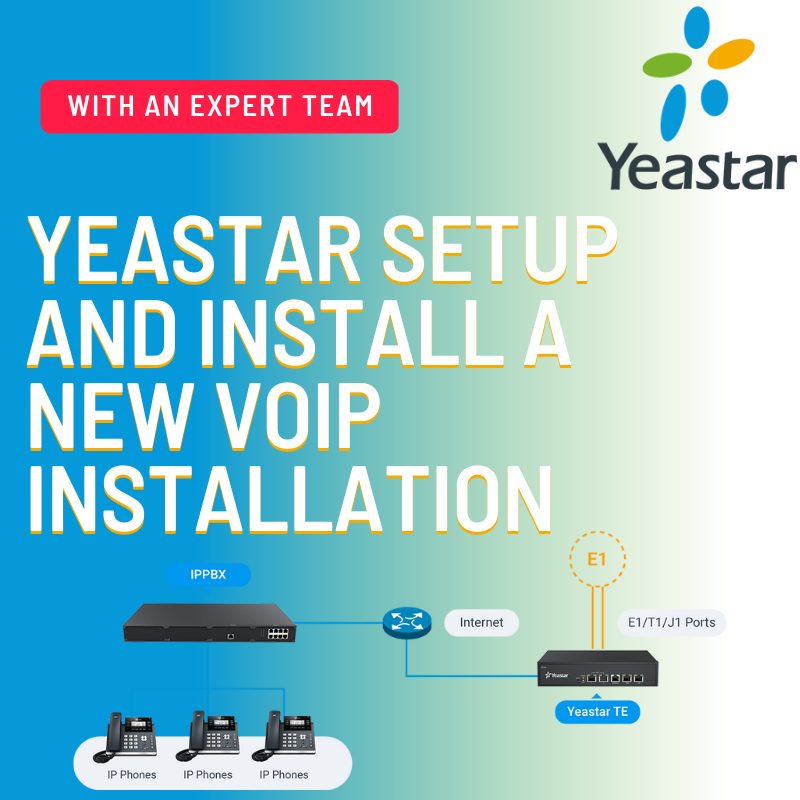
The FXS and FXO names confuse everyone. An FXS port supplies dial tone to a device; an FXO port receives dial tone from the carrier. Appliances take these as plug-in modules. On Yeastar's P-Series appliances, for example, the P550 supports up to 8 FXS ports, up to 8 FXO or BRI ports and up to 4 mobile ports, depending on the modules fitted, and the larger P560 and P570 add E1/T1/J1 interfaces. On a software or cloud PBX, a separate gateway or an analog telephone adapter (ATA) does the same job.
Where an IP PBX runs
- Appliance: a dedicated box in your office with the software preinstalled and slots for gateway modules.
- Software on your own server or virtual machine: on site or in your own cloud account. You manage the operating system, backups and security.
- Hosted: a vendor or provider runs the PBX in a data center, and you manage users and call flows through a web console.
The call flow is the same in all three. What changes is who maintains the system, how it behaves in an internet outage and how costs grow, which is the subject of our hosted vs on-premise PBX comparison. Open-source platforms such as FreePBX are built on the Asterisk engine; if you're choosing a platform, start with Yeastar vs 3CX or FreePBX vs 3CX.
What limits an IP PBX's capacity
Capacity is set by whichever of these runs out first:
- The licence: some platforms license by simultaneous calls, others by users or extensions. Our guide to how many simultaneous calls you need shows how to size it.
- Processing power: plain calls are light, but transcoding, recording, conferencing and voicemail transcription use real CPU. A server sized for plain calls can run short when every call has to be converted between codecs.
- Trunk channels and bandwidth: each external call needs a channel from your provider and capacity on your link. The codec changes both, and VoIP codecs compared explains the trade-offs.
Setup mistakes we see most often
- SIP open to the whole internet: an exposed port 5060 with weak extension passwords is the usual starting point for toll fraud. Restrict access by IP address and follow our toll fraud prevention guide.
- No outbound restrictions: every extension can dial international and premium-rate numbers because nobody changed the default.
- SIP ALG left on in the router: a frequent cause of one-way audio and of calls that drop after about 30 seconds. See our NAT and SIP ALG fixes.
- No holiday schedule: callers ring an empty office on public holidays because only weekly opening hours were set.
- Forgotten analog devices: the fax, alarm panel or door phone stops working at cutover because nobody planned an FXS port or adapter.
- No configuration backup: a failed disk or a bad update means rebuilding every extension and rule by hand.
For the full picture of choosing, licensing and rolling out a phone system, see our business VoIP phone system guide.
How BtoBSkills can help
We plan, install and configure IP PBX systems, from extensions and trunks to call routing, queues and IVR. Our new VoIP installation and configuration service covers Asterisk-based platforms such as FreePBX, and we offer dedicated setup for 3CX and Yeastar. Request a quote with your number of users and sites and any analog devices you need to keep.
Frequently asked questions
Is an IP PBX the same as VoIP?
Can I keep my analog phones or fax machine?
How many users can an IP PBX handle?
Is SIP the only protocol an IP PBX uses?
What is a hybrid PBX?
Related services
Related articles
- Hardphone vs Softphone : Which is Better for Business?
- SIP vs WebRTC: What is the Difference?
- How Much Bandwidth Does VoIP Need? A Practical Calculation
Per-call bandwidth for G.711, G.729, G.722 and Opus, the header math behind it, what packet size and encryption add, and a worked example for a whole office.
- SIP Trunking Explained: How It Replaces Traditional Phone Lines
What a SIP trunk is, how channels, numbers and authentication work, what it replaces, how providers package it and what to check before you sign.
- Hosted PBX vs On-Premise PBX: Costs, Control and Which to Choose
Hosted and on-premise PBXs compared on cost, control and outage risk, with a break-even method for your own quotes and a guide to which model fits.
- How Many Simultaneous Calls Does Your Business Need?
What counts as a simultaneous call, how to measure your busiest hour, a worked Erlang B example and how to turn the result into a 3CX license or Yeastar capacity.
- VoIP Codecs Compared: G.711, G.729, G.722 and Opus
How G.711, G.729, G.722 and Opus differ in sound quality, bitrate, loss handling and compatibility, and the codec order to use on phones, trunks and apps.
- VoIP Security: How to Prevent Toll Fraud and SIP Attacks
How attackers use hacked phone systems to run up call charges, the controls that stop them on 3CX, Yeastar and FreePBX, and what to do if you're hit.
- One-Way Audio and Dropped Calls: NAT, SIP ALG and Firewall Fixes
Why NAT, SIP ALG and firewall rules cause one-way audio and calls that drop at 32 seconds, the settings that fix them and a step-by-step way to find the fault.
- Business VoIP Phone Systems: The Complete Guide for SMEs
How a business VoIP phone system works, the deployment and licensing choices you'll face, what your network needs, and how to switch without losing calls or numbers.
Sources
- IETF RFC 3261: SIP: Session Initiation Protocol (accessed 2026-11-19)
- IETF RFC 3550: RTP: A Transport Protocol for Real-Time Applications (accessed 2026-11-19)
- IETF RFC 3264: An Offer/Answer Model with the Session Description Protocol (SDP) (accessed 2026-11-19)
- Yeastar P-Series Appliance Edition (models, users, interfaces) (accessed 2026-11-19)
- IETF RFC 5456: IAX: Inter-Asterisk eXchange Version 2 (accessed 2026-11-19)